Article
Advanced options
1 min read
Last updated 3 months ago
Explanation for all of the advanced options for your events.
Scheduled invites
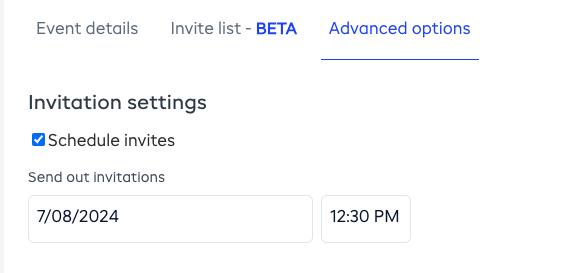
Scheduled invites allows you to pick when the calendar invites for your events will be delivered to your invite list. To turn this on, check the box next to the Schedule invites text and pick a date + time.
If the Schedule invites box isn’t checked, then the invites will be sent at the same time that the event is approved.
Make an event private

Making an event private hides it from the member view. If an event is private, only people who are invited as members, employees, or as part of a custom invite list will receive the invite.