Article
Viewing RSVPs or Attendees for your event
1 min read
Last updated 3 months ago
How to view RSVPs or Attendees for your event
Chezie allows you to track RSVPs and attendees for your events. Here’s how:
RSVPs
-
Navigate to admin view
-
Click on the Events tab
-
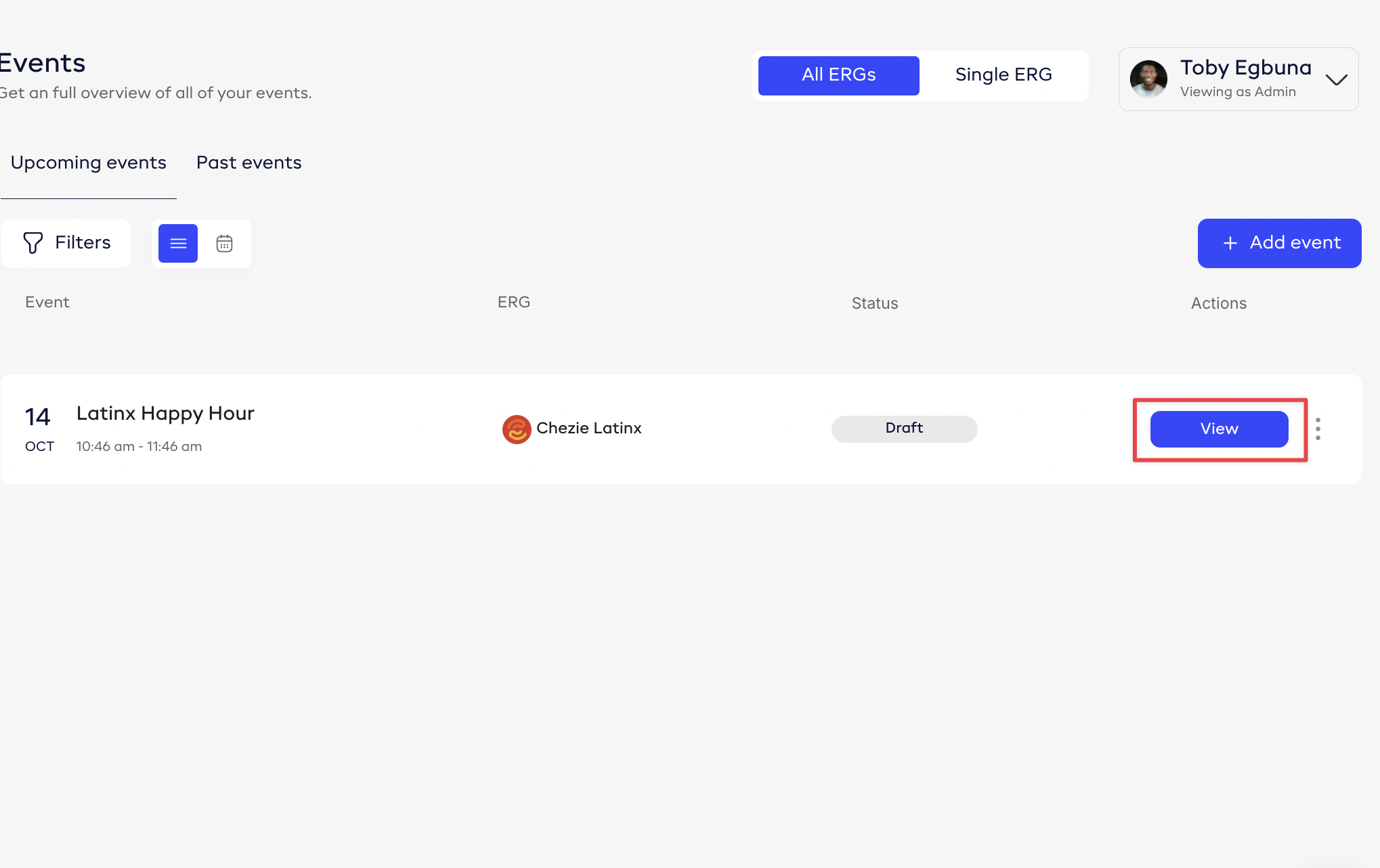
Find the event you’re looking for and click View
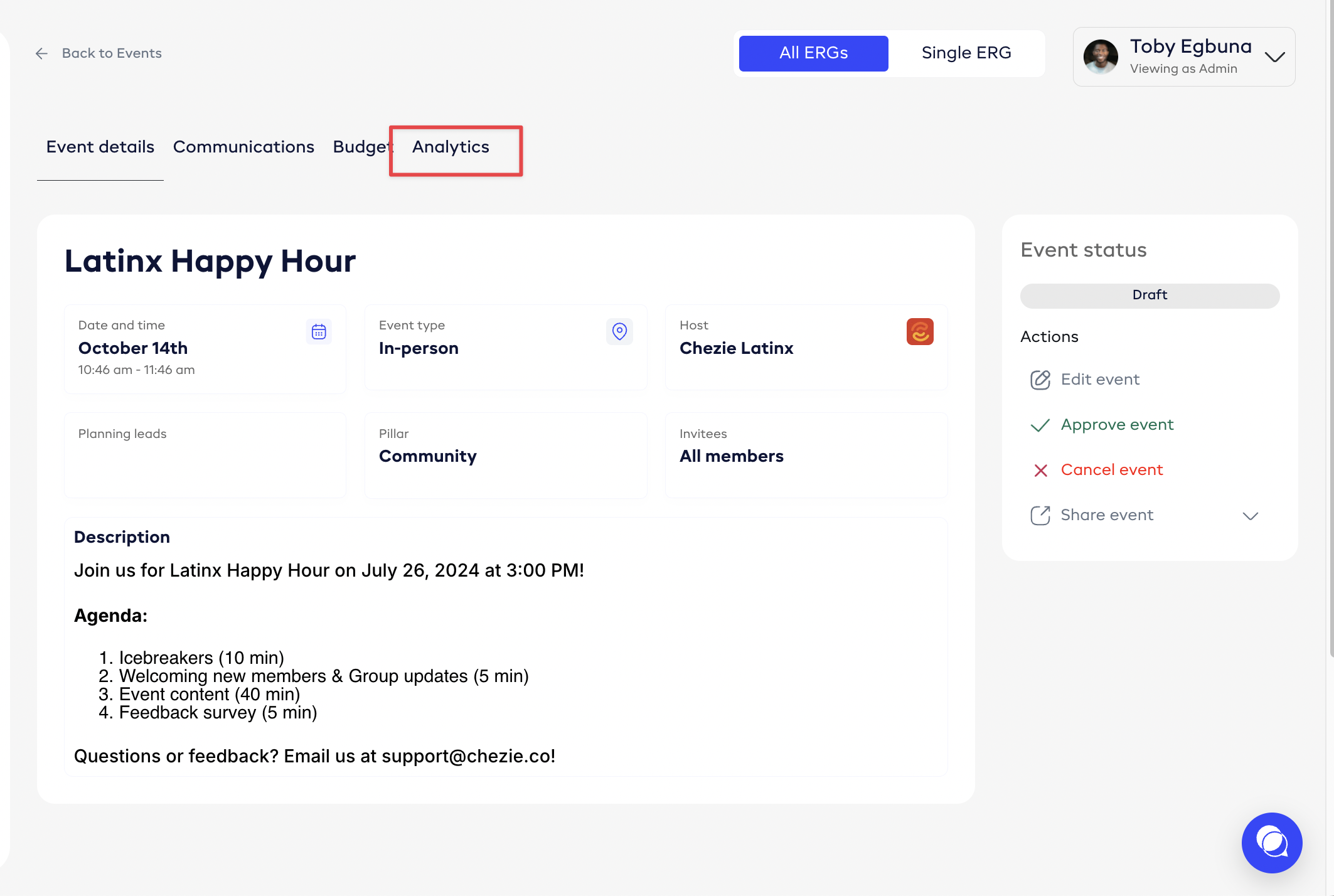
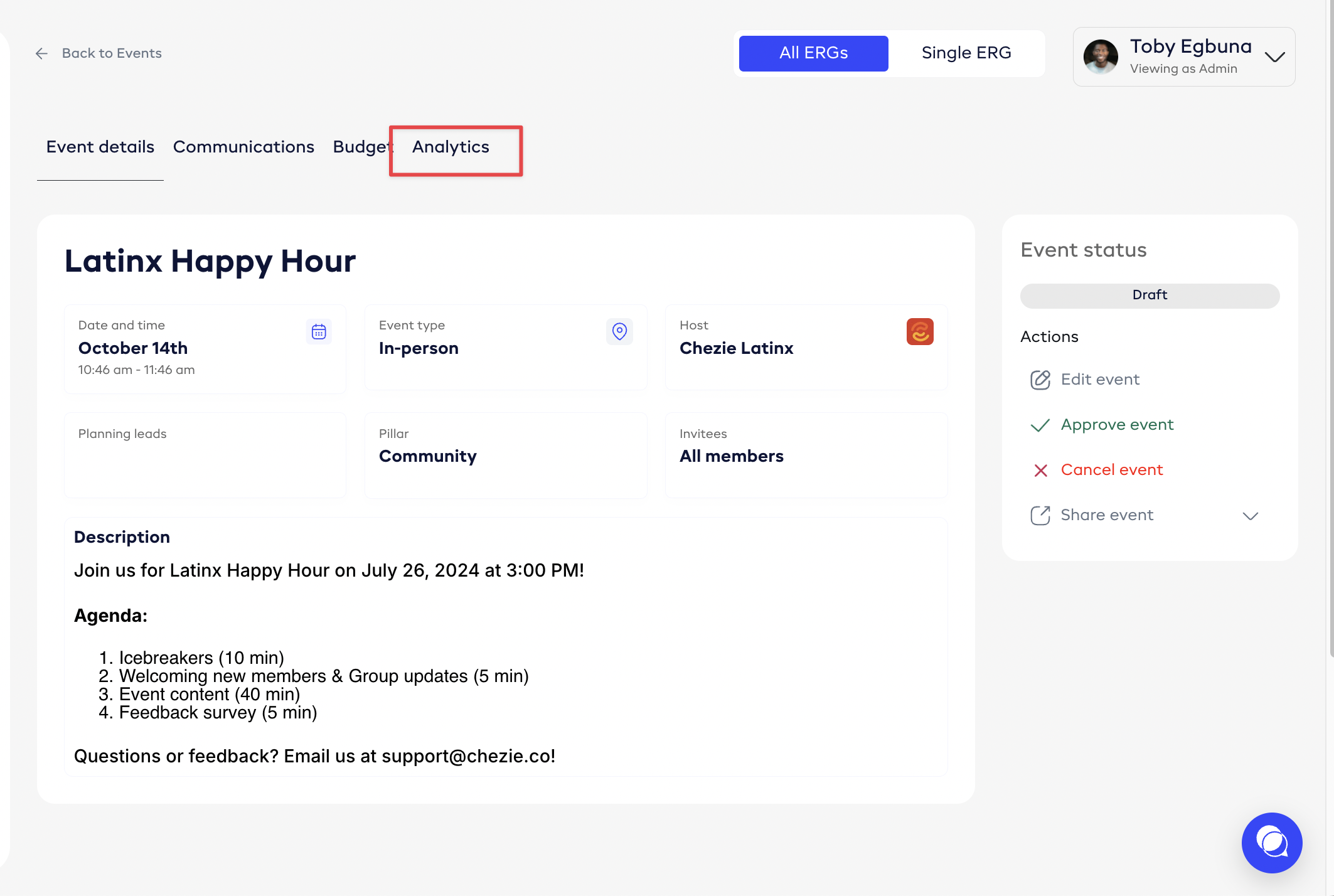
- Click the Analytics tab
-
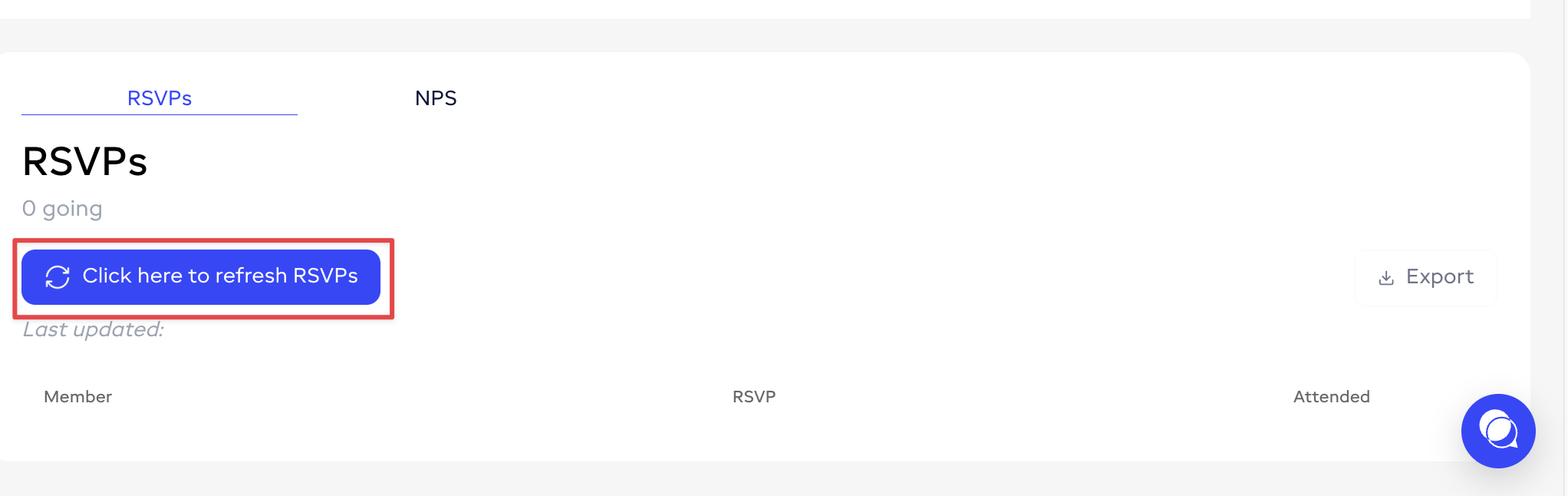
Find the RSVPs section
-
Click the Click here to refresh RSVPs button
Attendance
Note: attendance tracking is only available for events that use the Zoom or Microsoft Teams integration.
-
Navigate to admin view
-
Click on the Events tab
-
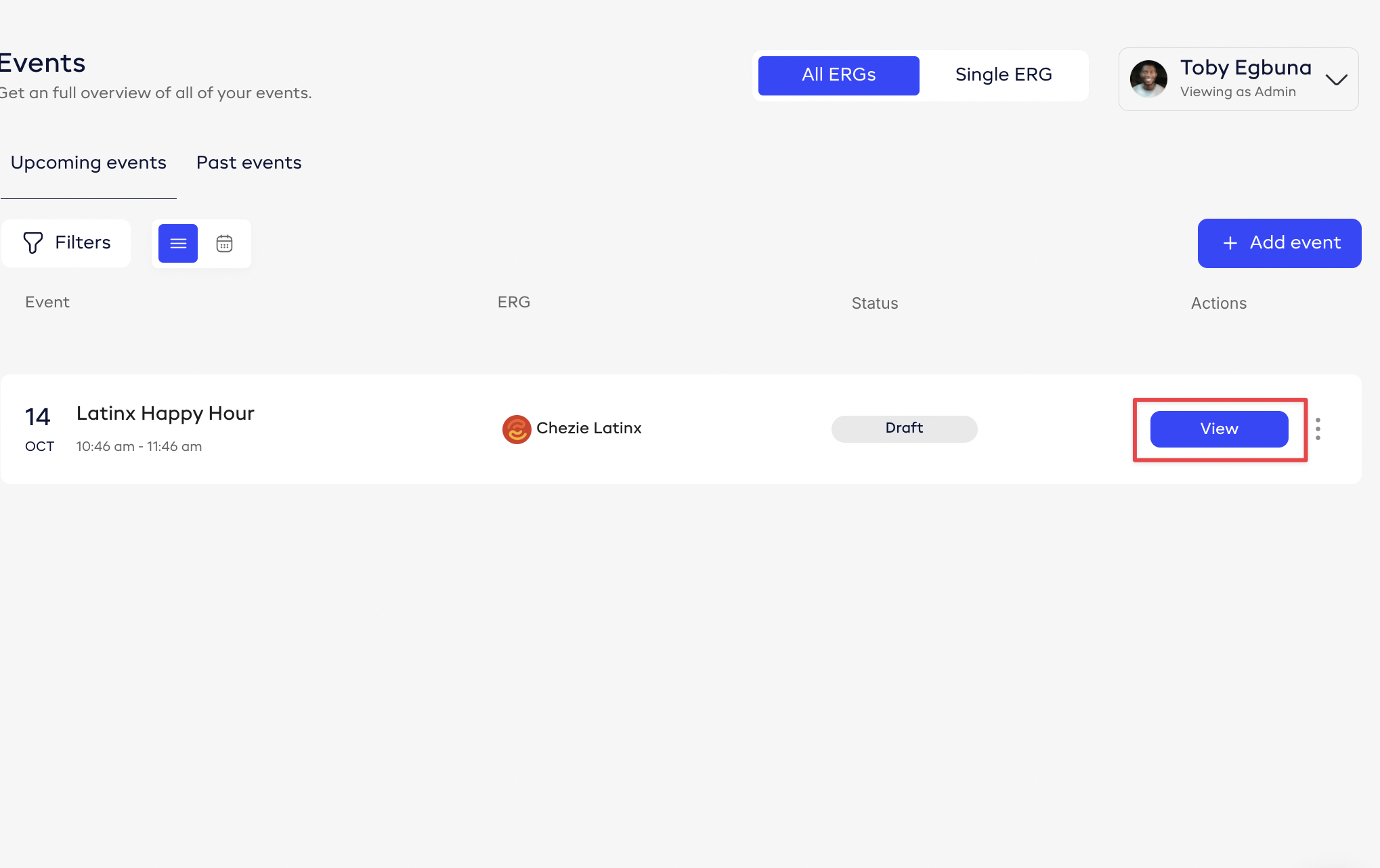
Find the event you’re looking for and click View
- Click the Analytics tab
-
Find the RSVPs section
-
Click the Click here to refresh Attendance button