Zoom - Chezie
How the Zoom integration is used
The Zoom integration is used when creating new events and when reviewing attendance for events.
The Chezie Zoom integration uses the Account level Zoom scope. This allows us to gather Account ID's for your Leads and Admins who will be scheduling events and utilizing the Zoom integration. After your company's Zoom account is connected during the onboarding process, every Lead will have their Zoom Account ID stored on their User profile. From there, whenever a new event is scheduled, this Account ID is pulled to create a new meeting in Zoom and attach that Zoom meeting link to the calendar invite sent via Google or Microsoft Calendar.
Scheduling new events
-
Navigate to your group's profile page. Click on the Events tab.
-
Click NEW.
-
Enter your event details:
-
ERG Event name
-
Event pillar
-
Event date & start time
-
Event date & end time
-
-
Enter your event description
-
Enter your event location. This is where you will input your Zoom details are used:
-
Select Virtual for event type
-
Select Zoom for Video Meeting Type
-
-
Enter your event cost and event invitees
-
Click FINISH
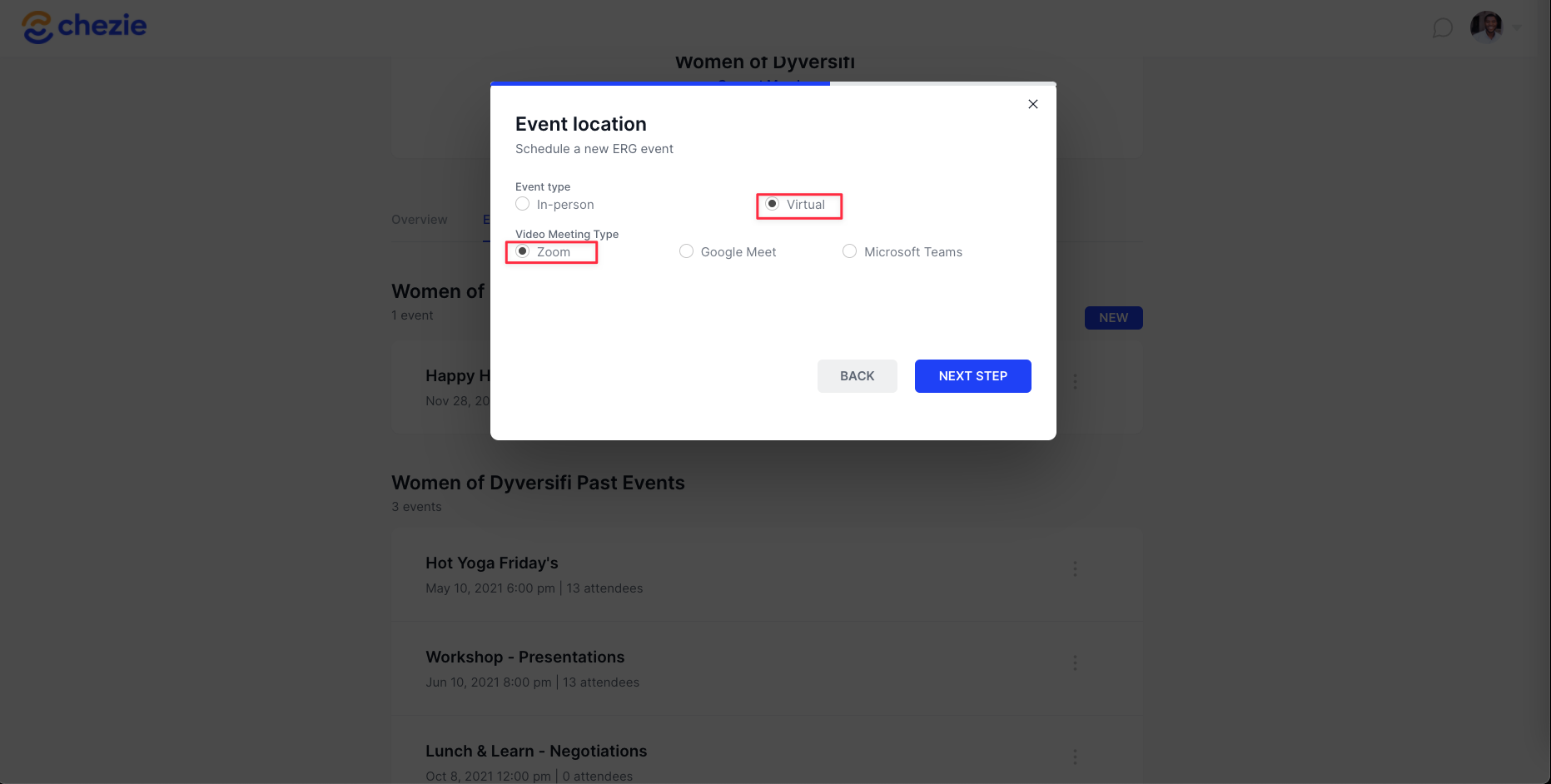
When you finish scheduling an event in your Dashboard, a new Zoom meeting will be created and your Zoom meeting link will be auto-populated in the calendar invite for this meeting.
How to connect your Company's Zoom account
Note: this set up is part of the onboarding process. Once your IT admin has connected your company's Zoom account, changes can only be made by contacting support at support@chezie.co.
-
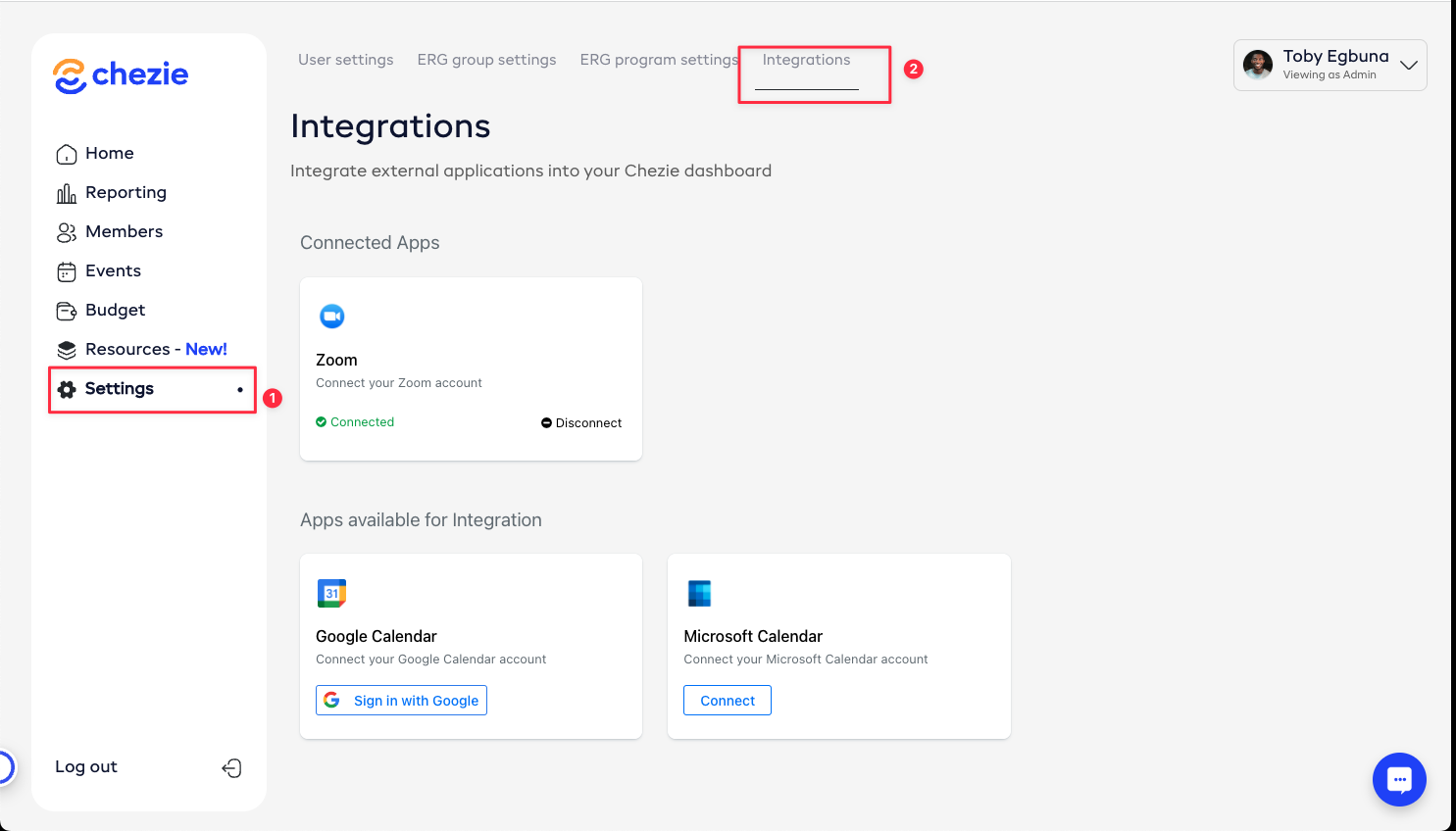
Switch to admin view
-
Click Settings → Integrations
-
Sign in with your selected Zoom account
- Done!
Zoom - IT Details
Find information on IT details of our Zoom integration here.
Scopes