Article
Managing Feature Controls
1 min read
Last updated 2 months ago
This guide details how to access and explains the function of each available control.
Accessing Feature Controls
To locate and manage your Feature Controls, please follow these steps:
- From the Admin view, select the Settings tab.

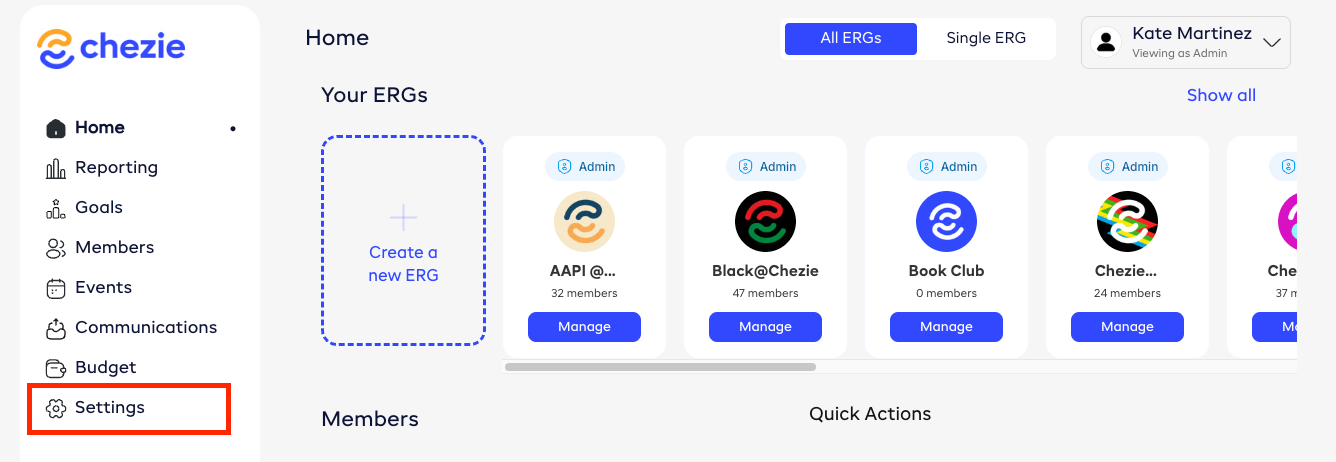
- Click ‘ERG program settings’.


- Scroll down to the ‘Admin Controls’ section.

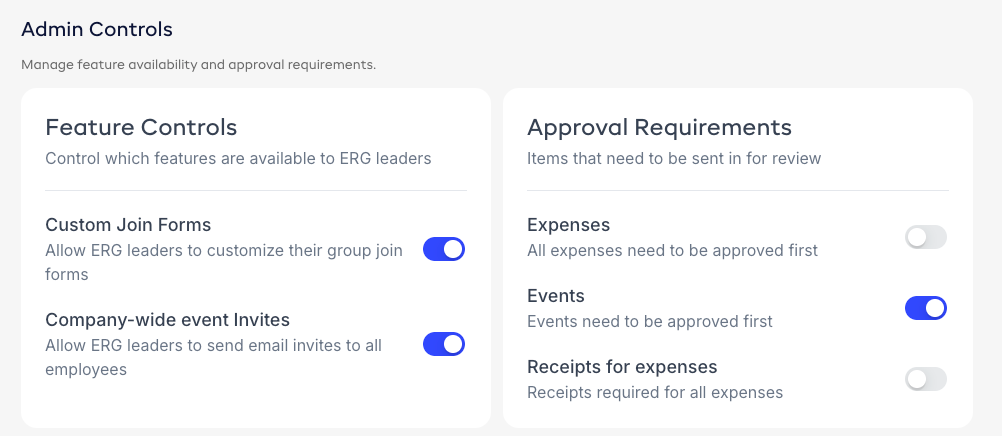
Admin Controls, explained
Feature Controls
-
Custom Join Forms - When turned on, ERG leaders can add custom questions or fields in the member sign-up form.
-
Company-wide event invites - When allowed, ERG leaders can send invites to all employees in the company.
Approval Requirements
Manage which items need admin approval:
-
Events - require approval on events before they can be moved to Approved status.
-
Expenses - require approval on expenses before they can be moved to Approved status.
-
Receipts for expenses - requirement receipts on expenses. If this is turned on and a receipt has not been submitted, the user cannot submit the expense.