How to update a Lead’s permissions
A step-by-step guide on modifying lead permissions.
Written By Toby Egbuna
Last updated About 1 year ago
If you're an Admin with the Manage Admins permission turned on, then you can edit permissions for other Admins.
Switch to admin view
Navigate to Settings tab
Click ERG program settings tab at the top of the screen
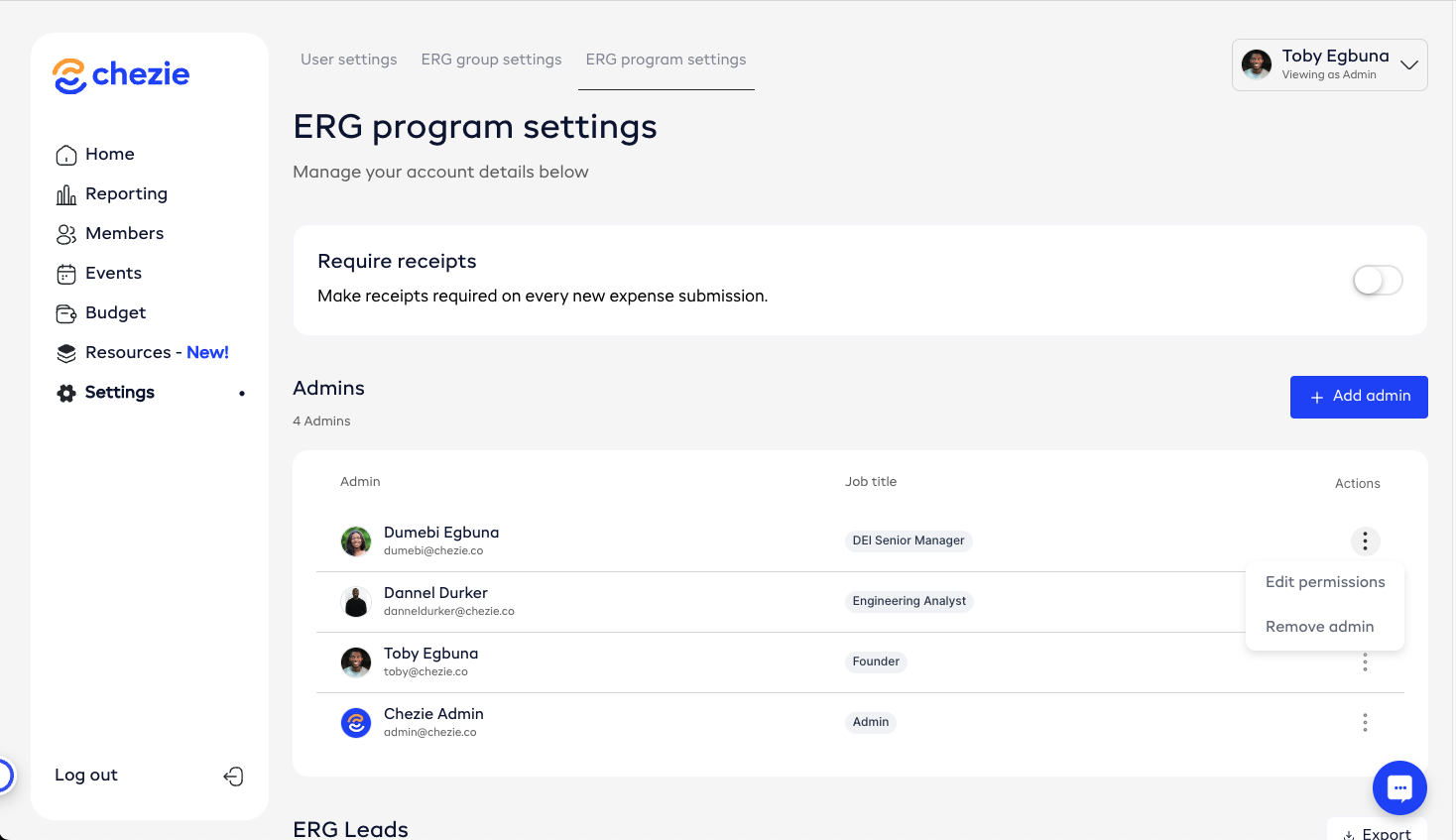
Scroll to the Admins table.
Click the three dots next to an Admin whose permissions you want to update
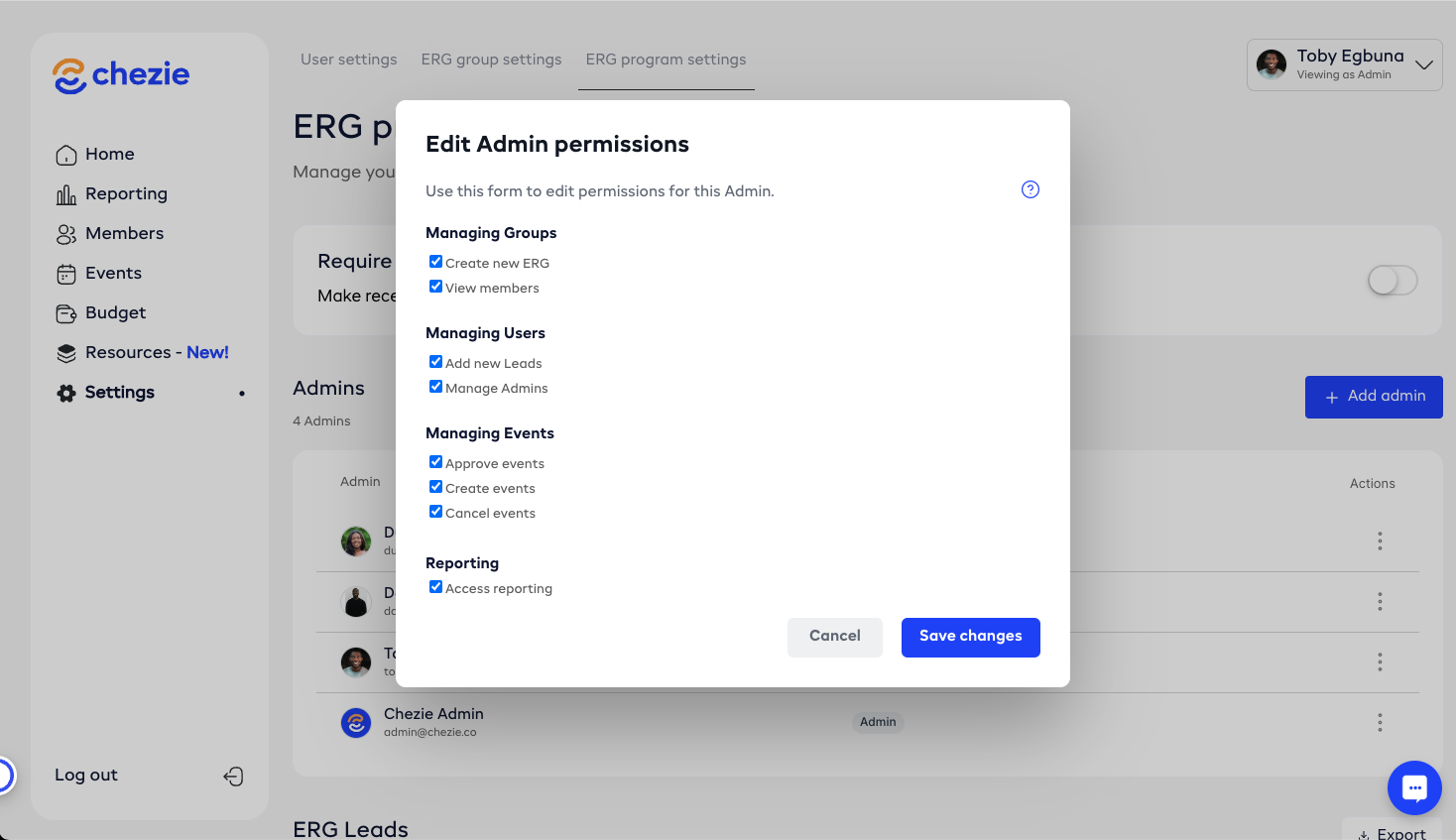
Select the permissions that you want to change