Reporting
Security
FAQ
The Complete Guide to Customizing Your ERG in Chezie
📄
Navigating your ERG group settings page
📄
Changing your logo/banner
📄
Editing your Group’s description
📄
Editing your Group’s welcome message
📄
Customizing your Group's Join form
📄
Managing your Group’s resources
📄
Connecting your Messaging App Channel
📄
Adding your Group’s email
📄
Changing viewing permissions
Goals
Managing Groups
Settings
Communications
Expenses
Required Reading
Integrations
Best Practices For Launching Chezie
Events
💬
Feedback
🗺️
Roadmap
📝
Changelog
    Home
  1. The Complete Guide to Customizing Your ERG in Chezie
  2. Managing your Group’s resources

Managing your Group’s resources

Written By Toby Egbuna

Last updated 12 months ago

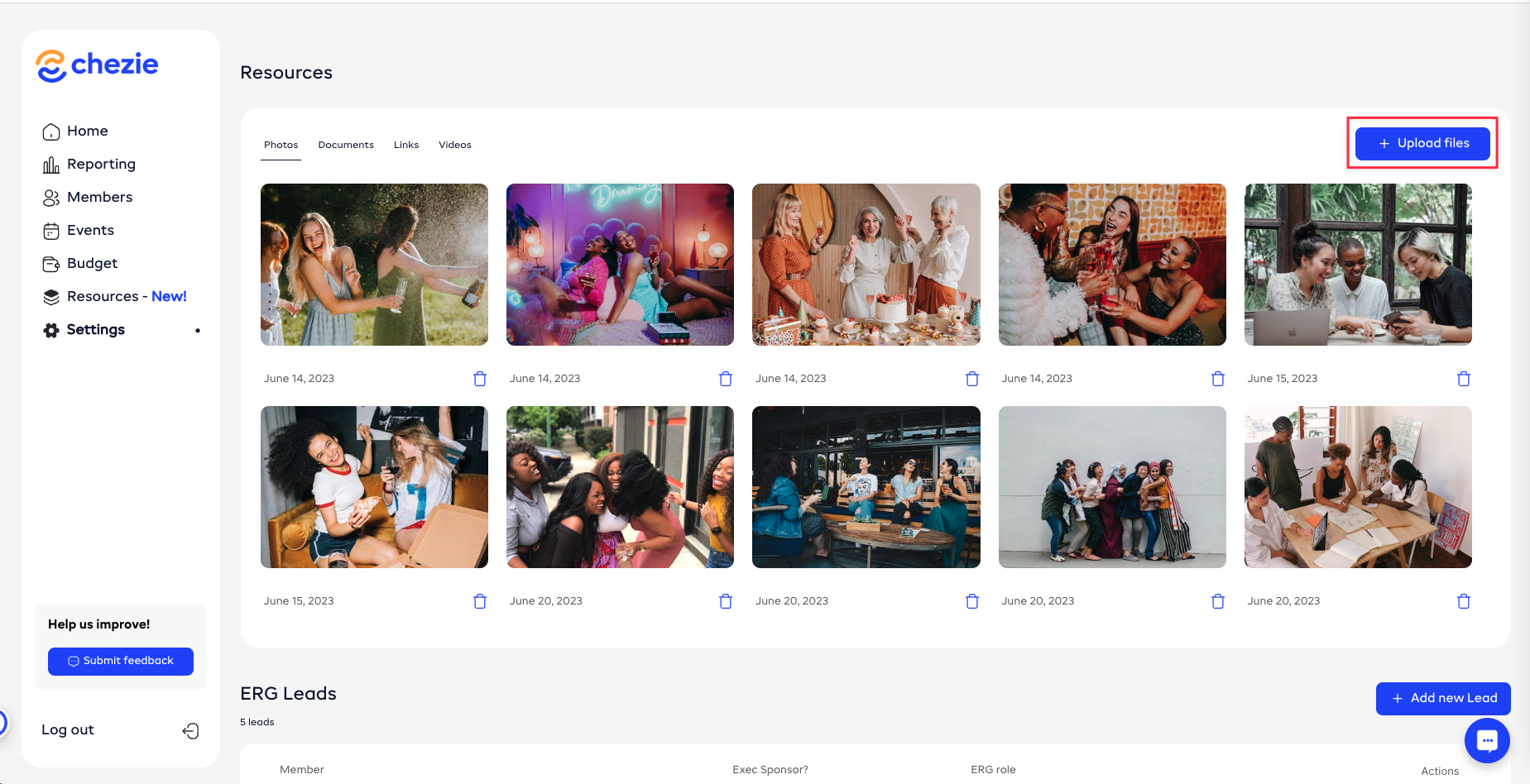
Share photos, docs, links, and videos with your members so they can easily access them.

  1. Click the Upload files button

  1. Select the type of resource you want to upload
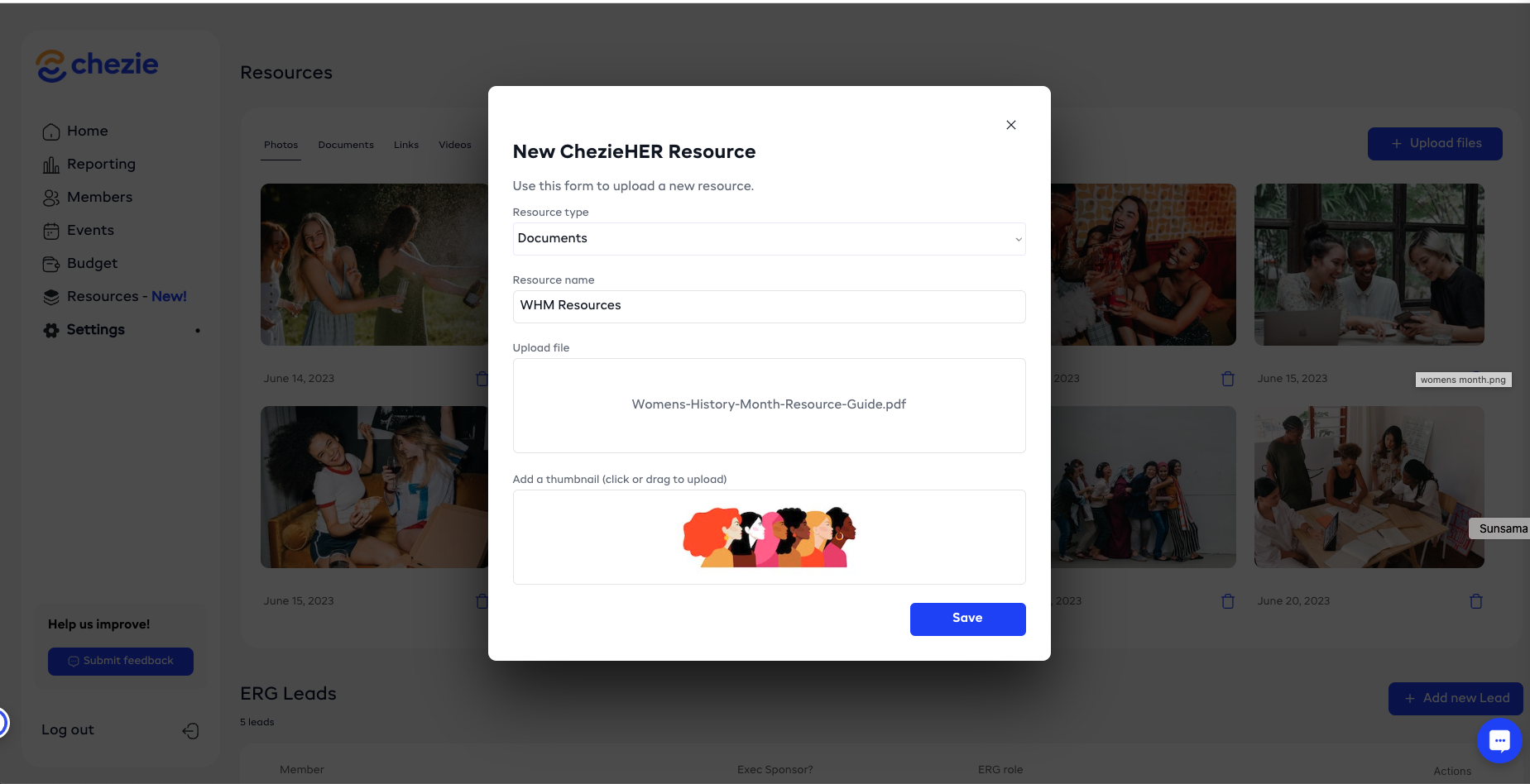
  1. Click Save when you’re done

Was this helpful?